Start with one conversion you would act on
A buyer runs ads for a subscription service. She already has an introduction page and a signup site. Next quarter she may add a version people can open from their home screens. Today she needs to know which ad placement produces completed signups. To choose an ad tracker, follow one click through a signup and check whether the result reaches the correct placement in the report. Then decide which other features are necessary.
A lander is the page a visitor sees before proceeding to the offer. The offer is the subscription and its signup destination in this example. A PWA is a website people can add to the home screen on supported devices. A click ID identifies one click. A postback is a request from one system to another reporting an outcome, such as the signup site sending a completed signup and its click ID to the tracker. Ask who can provide each piece of data and how the candidate receives it. Click IDs and UTMs · Binom conversion postback
Compare who supplies the page and what you can measure
If the buyer wants to keep her existing introduction page and route traffic with rules, Binom v2 can connect a lander on her own host or serve an integrated page she uploads. If she needs a hosted install page, MeetROAS can supply that step and can also route a campaign directly to the destination. Both setups use the existing signup site, which must report successful registrations. Check whether its owner can join the trial before comparing feature lists. Binom landers · Binom integrated landers · MeetROAS campaign workflow
| Trial question | Binom v2 with a buyer-supplied page | MeetROAS with a hosted install entry |
|---|---|---|
| Who supplies the page? | The buyer prepares the lander and chooses whether to host it or upload it for the tracker to serve. | The buyer provides creative and the signup URL. The hosted flow supplies the install page. The direct route uses the existing signup site. |
| Where can the buyer see each step? | Inspect campaign clicks by path and attributed registrations after postback setup. To measure installation or first open in a custom PWA, instrument it and send custom events. | Inspect hosted install and open signals in Campaign Performance. The destination must send an attributable signed event for completed signup. Check the actual test result. |
| What can she change? | Verify signup coverage across paths before adjusting path weights. | If installs and first opens diverge, test the install guidance and the post-open destination on a real device. For direct traffic, check arrival and signup at the destination. |
A routing rule changes where visitors go. Check how far the report can follow them. A handoff to signup establishes that the redirect happened. Verify the destination actually loads. An install tap, evidence of installation and first open also have separate definitions. If installs matter to the decision, test a supported browser and one environment without a native prompt. Label unmeasured steps explicitly and distinguish them from inapplicable steps and measured zeros. Binom path rules · Binom custom events · A worked routing comparison
Run three event checks before spending
This is a hypothetical acceptance test. Use test mode or an isolated test campaign first. Confirm that the events stay out of production reports and are not forwarded to an ad platform. For each check, record the test placement, the page that actually loaded, the reported event and the visible result.
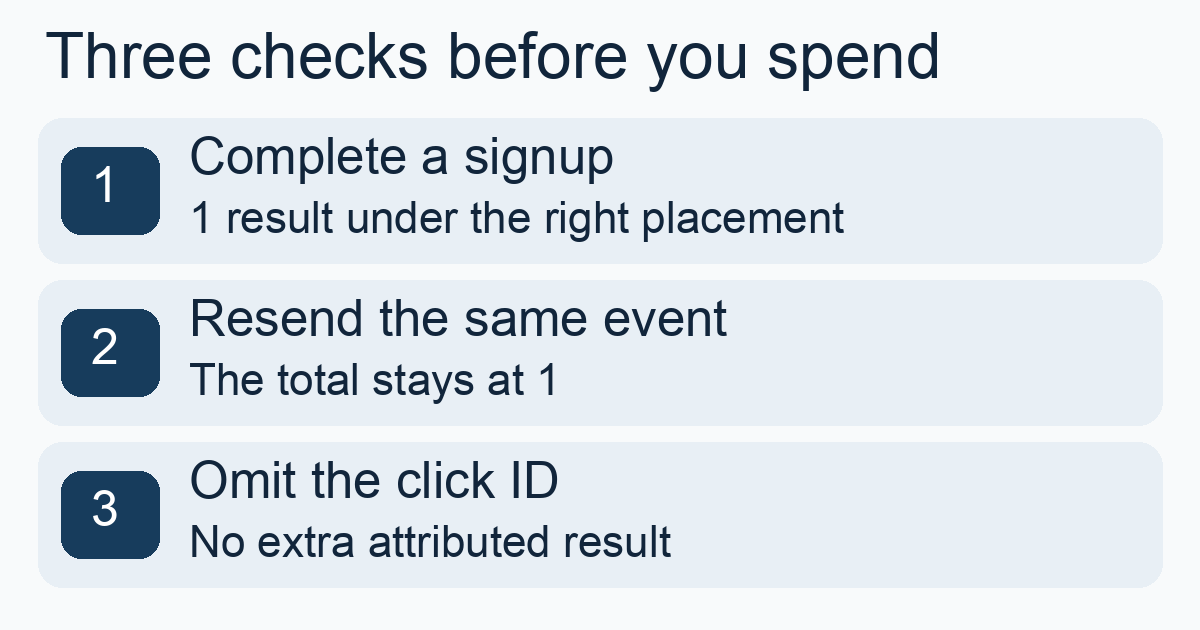
- 1. Complete one signup. Follow a test click from a known placement through registration. Verify one outcome under the correct campaign and placement field, where that field is available. If the placement is missing, find where the source parameter disappeared.
- 2. Resend the same event. Preserve its event identifier. The signup count should stay at one. Record any explicit response or log entry explaining how the tool handled the repeat. If the count rises, repair duplicate counting first.
- 3. Test a missing click ID in isolation. Check whether the failure is diagnosable and whether the unlinked test event stays out of trusted placement results. If a message only confirms receipt, find the report or log entry that proves the outcome was linked.
Test environments have different scopes. Voluum documents a campaign test mode. The fixed MeetROAS account test can check signed destination events, attribution and retry handling without adding those test events to production performance or sending source postbacks. Verify the handoff for the actual campaign path separately. If you also need to send a conversion back to the ad platform, arrange a separate authorized check for that source and verify both dispatch and receipt. Voluum testing guide · MeetROAS destination event testing · Diagnose duplicate conversions
Reconcile one closed day of spend
If the buyer plans to move budget by placement, identify whether cost is imported from the ad platform, passed in a traffic-source parameter, estimated or entered manually. Pick one closed day and align the ad account, campaign ID, time zone, currency and reporting level. Reconcile the campaign total first. Then check whether placement costs can also be tied back to the source.
Suppose the platform shows US$120 for that closed day and the tracker shows US$96. Spend gap = platform spend − tracker spend = US$24. Check for a missing ID, delayed updates and currency conversion. Even after totals agree, mark any placement costs estimated by allocating spend across visits. If costs are missing, leave decisions that depend on those costs open. A missing cost row can make a placement look free. Voluum cost sources · RedTrack spend troubleshooting
Shortlist a tool based on the checks it passes
Separate requirements from optional features. In this case the buyer needs signups attributed to placements, no extra signup on a retry and a cost basis she can reconcile. Test direct signup first if that is the only path she uses today. Add device and first-open checks when an install path becomes a real requirement. If the signup site cannot report outcomes, identify who can add that link and when it can be tested. The placement report will still lack signup evidence in the meantime.
Assign an owner for the page, conversion reconciliation and failed cost imports. Try the export or reporting view and verify the right people can use it to investigate. Then compare total cost at your expected event volume and maintenance time. Keep a short acceptance record without private identifiers. List the path you proved, the fields still in question and the conditions for using the report to move budget.
Sources
- Binom v2: Adding landers — Checked: 2026-11-09
- Binom v2: Integrated landers — Checked: 2026-11-09
- Binom v2: Traffic distribution — Checked: 2026-11-09
- Binom v2: Events — Checked: 2026-11-09
- Binom: Postback URL — Checked: 2026-11-09
- Voluum: Testing guide — Checked: 2026-11-09
- Voluum: Cost sources — Checked: 2026-11-09
- RedTrack: Cost and ad spend troubleshooting — Checked: 2026-11-09
- MeetROAS: Campaign entry and install flow — Checked: 2026-11-09
- MeetROAS: Partner Event API and test runs — Checked: 2026-11-09