Start with the page you already have
RedTrack's documented editable-lander setup starts with a page you supply and connects it to tracking. MeetROAS supplies hosted campaign layouts for a PWA install journey, and also supports campaigns that go directly to a website. The useful buying question is what you need to build, which steps you need to observe, and what you will change from those observations.
A lander is the landing page a visitor sees after an ad. An offer is the promoted product or service and its destination, such as a registration website. A PWA is a website experience that can be added to a device's home screen and reopened; its installation behavior depends on the browser and device. It is not an app-store download.
Both products can connect traffic to downstream results when the destination is integrated. Having an external page does not restrict a tracker to counting ad clicks. The practical distinction is clearer with one buyer's work: keep and instrument a custom page, or create and inspect a managed install journey.
RedTrack: keep the page, connect the observations
Suppose a buyer has an AI-assisted HTML landing page for a membership web service. Search and social ads will use that same page. The designer wants to keep control over its layout and content; the buyer wants to compare which source brings completed registrations.
In RedTrack's landing-page documentation, the lander precedes the offer and must be editable for the relevant setup. Adding that element is a tracking configuration step. The team still supplies the page in this documented workflow.
The universal tracking script is one no-redirect option. RedTrack documents sending multiple traffic sources to one landing page and separating paid and organic visits. Its guide specifies adding this script at the end of the page's body. The buyer must follow the chosen setup's parameters, links and event configuration; adding a page URL alone does not complete conversion tracking.
To see registrations or purchases, the destination must report them. RedTrack's conversion guide describes API, server-to-server postback, and pixel/script methods. A postback is a server message reporting a completed result. The appropriate method depends on what the destination or network supports.
With the required data connected, the buyer can compare sources and reported outcomes, then adjust source targeting, bids, budget or page content. Financial comparisons also need compatible cost and value data. An attributed conversion is an observed reporting result, not proof that the ad caused an incremental sale.
MeetROAS: create the install page and inspect its stages
The same buyer might instead need a home-screen entry and a page that explains the service before installation. MeetROAS's current page workflow provides hosted layouts, campaign URLs and source settings. Campaigns under one App can use different layouts with the same message; a different campaign does not require a different offer or different copy.
For that install journey, the buyer can inspect views, install clicks, observable installation signals and first opens, then supported destination results once connected. These are different actions. A click on “Install” does not establish a completed installation, and an installation does not establish a first open. Device support and signal coverage must be checked on real phones.
MeetROAS's same-URL layout A/B view also includes attributed registrations and first deposits when the supported destination events and valid version attribution are available. Older outcomes without a verifiable version assignment cannot be reconstructed from the current layout. The view does not provide variant-level cost allocation, deposit amounts or ROAS. An entire Campaign's total cannot fill a missing variant result.
For a promotion that needs no install step, a direct website campaign can send the visitor to the destination with its own campaign URL and source settings. It should be evaluated as a direct journey, with no expectation of install-stage data. Pasting a complete custom HTML page into MeetROAS and relying on a shared Flow are still specifications, not released features as of this review. That matters when keeping arbitrary existing HTML is a requirement.
Put the two setups beside the same task
This is a hypothetical buying scenario, not a performance benchmark. The membership service, registration definition and destination stay the same. The question is which setup fits the work the buyer needs to perform.
| Work | RedTrack documented setup | MeetROAS current setup |
|---|---|---|
| Supply a page | Bring an editable page and connect the selected tracking method | Build from hosted layouts, or use a direct website campaign |
| Observe results | Connected source/page observations and reported conversions | Install-journey observations and supported, attributed destination events |
| Make a change | Adjust the custom page or source activity from comparable reports | Adjust page content/layout, inspect install stages, or compare eligible layout outcomes |
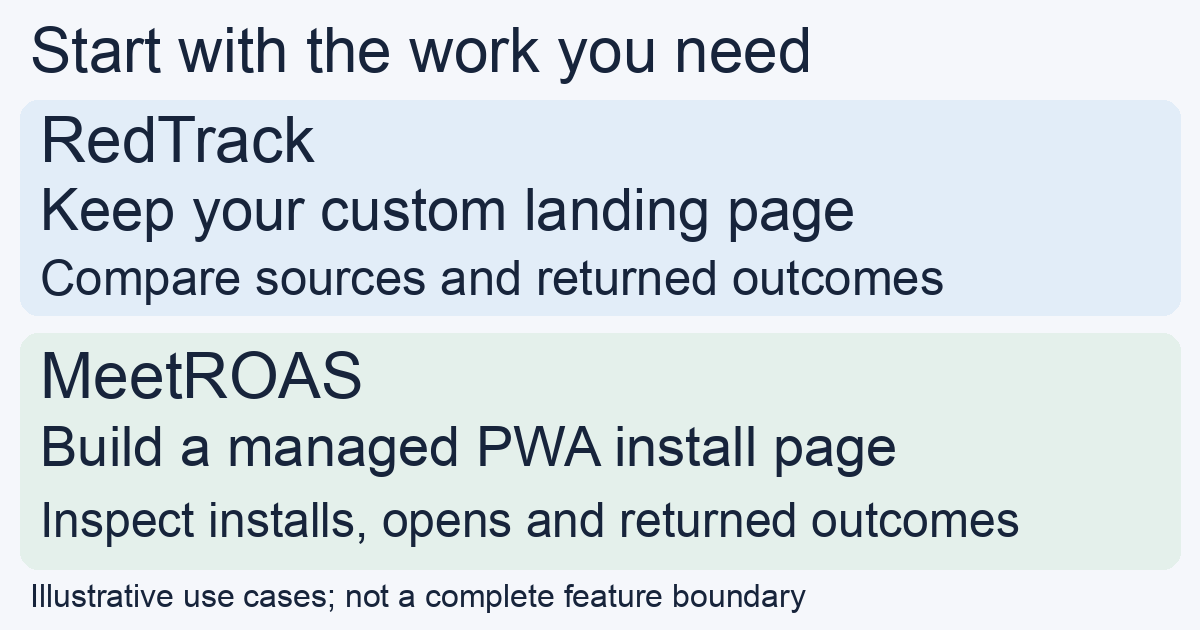
If the custom HTML page is already the right visitor experience, the RedTrack script path lets the buyer evaluate keeping it while adding tracking. If the buyer first needs an install page and wants to inspect the steps through opening, MeetROAS's supplied journey is more directly aligned with that task. This is a workflow distinction, not a ranking of tracking accuracy or a claim of exclusive capabilities.
The same-page/multiple-source pattern is not enough to decide between them. Separate MeetROAS campaigns can carry identical content and be reviewed at App/source/Campaign scope. Conversely, RedTrack's reported conversions depend on the events supplied by its integrations. Choose based on page ownership, required observations and operating work, then verify the exact account configuration.
Verify the events before moving the budget
For either route, run a small authorized test with one source and a clearly named outcome:
- Open the actual ad destination on a supported phone. Confirm the intended page or direct destination appears and the acquisition parameters survive the journey.
- Complete a registration, then verify that the destination reports that same completion and it appears under the intended source and campaign. MeetROAS's destination-event guide describes its click-identity handoff. A missing report is not evidence of no registration.
- If PWA installation is required, test install click, observable installation and first open separately. For a self-built PWA, verify the site's instrumentation, event mapping and browser coverage in the chosen tracker; an ordinary visit script does not establish all three observations.
- If layout results determine the decision, check the variant report itself. Keep source totals, Campaign totals and version-attributed outcomes separate, and compare a mature, sufficiently sized sample.
Define click IDs and UTM labels before testing. The labels describe acquisition; the identifier helps link a later result to its originating journey. Neither replaces a destination's actual completion event.
Which requirement should decide the trial?
Choose the first trial around the hardest requirement. An existing custom page and a need to compare its paid/organic sources favor testing RedTrack's documented page-and-script setup. A need to create hosted PWA campaign pages and diagnose install-to-open stages favors testing MeetROAS's managed journey. A direct website promotion should test the direct path rather than introduce an installation step without a reason.
For another tracker-led workflow, the MeetROAS and Voluum comparison explains landers and traffic paths. For testing two supplied layouts, use the layout A/B guide. Pricing, integration availability and required event support should be confirmed in the actual accounts before migration. The outcome of the trial is a verified page and data path that answers your decision, not a promise that changing tools increases conversions.
Sources
- RedTrack: Landing page — Checked: 2026-11-06
- RedTrack: Universal tracking script — Checked: 2026-11-06
- RedTrack: Conversion tracking — Checked: 2026-11-06
- MeetROAS: Current product workflow — Checked: 2026-11-06
- MeetROAS: Destination events — Checked: 2026-11-06