What is a lander, and what does adding one actually do?
A lander is a landing page: the web page a visitor sees after clicking an ad. It can explain a product or promotion and provide a registration or install button. An offer is the product or service you promote and the destination visitors eventually reach, such as a registration site.
A common journey is ad → landing page → registration site → completed registration or payment. The page helps someone understand the proposition and continue. Tracking records where they came from, which route they took and whether an outcome followed.
In Voluum, a Lander is the configuration for that page. Its setup documentation starts with an externally hosted, publicly available landing page. You enter its URL, configure tracking and connect its outgoing buttons. Creating this element connects a page to tracking; it does not complete the page's design and publication for you.
The useful comparison is therefore practical: What page and visitor experience can MeetROAS provide? How can Voluum track, compare and distribute traffic across pages I already have?
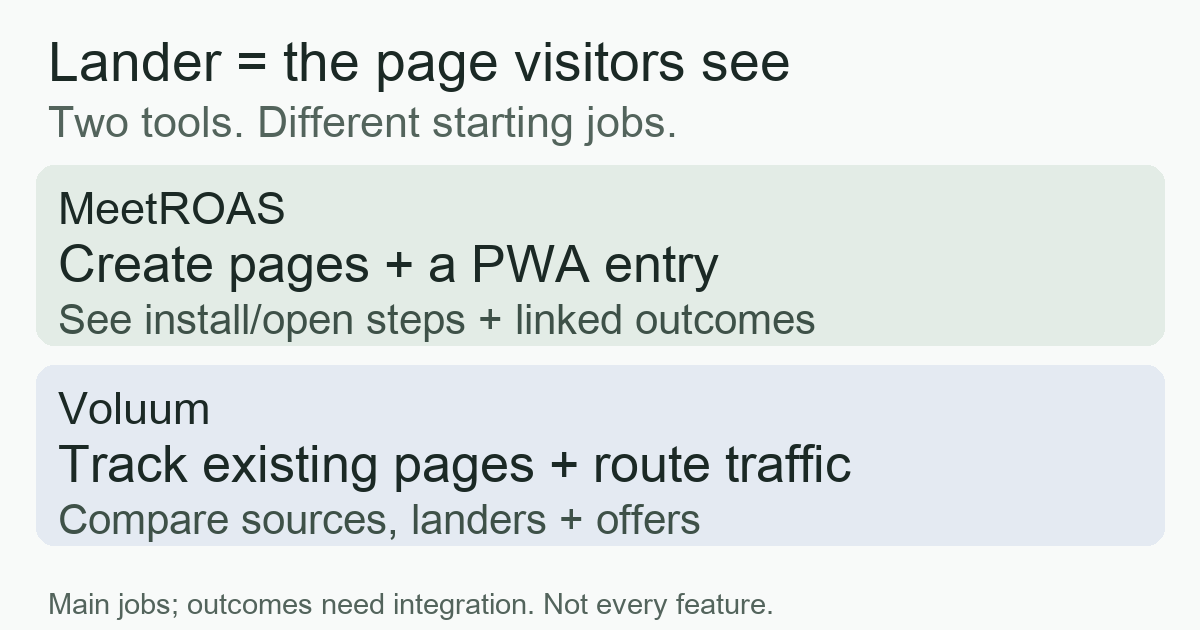
MeetROAS: the page, install journey and connected outcomes
MeetROAS can create campaign landing pages from existing layouts, continue the message of a particular ad and provide a PWA install entry. A PWA is a website entry that can be added to a phone's home screen and opened again. Support and installation steps vary by device and browser; this is different from downloading a native app.
A buyer can inspect page views, install clicks and first opens for the same campaign. Once the destination is integrated, received registrations and first deposits can be considered alongside them. Clicking install, completing an installation, opening for the first time and registering are separate actions. One counter cannot stand in for another.
Many views but few install clicks suggest checking the message and its continuity with the ad. Install clicks with few first opens suggest checking device support, installation guidance and the opening route. Many opens with few registrations suggest investigating the destination form or event integration. These differences indicate where to investigate; they do not establish the cause by themselves.
MeetROAS also offers two-layout testing on the same URL with fixed 50/50 allocation and sticky assignment. The A/B summary currently compares each layout’s views, first opens and the ratio between them. Connected registrations and first deposits are shown separately at Campaign level, without an A/B layout breakdown. A Campaign total cannot tell you which layout brought more registrations or first deposits.
This makes MeetROAS useful for teams building campaign pages, testing layouts through the first-open step, or providing a PWA entry. The landing-page guide explains this setup. Adding a page does not itself guarantee more conversions.
Voluum: which source, lander and offer deserve more traffic?
Voluum brings traffic sources, landing pages and offers into a tracking setup. With correct configuration, it records visits, lander-to-offer clicks and reported conversions. Cost and payout data enable further financial analysis. Its tracking overview describes the inputs and setup requirements.
A buyer can ask: “Which source converts better?”, “Which lander works better for this offer?” or “How do devices and countries differ within this campaign?” These are analysis directions in the official reporting guide. Voluum can compare landing-page performance as well as traffic totals.
With an applicable tracking method, weights and rule-based paths can distribute traffic across landers and offers. The buyer connects existing routes, compares results and then adjusts distribution or targeting at the source. The team or a page tool still supplies the page content. Direct and redirect tracking have different routing capabilities; check the exact route and the traffic source's requirements before relying on a particular control.
Compare the work a buyer actually performs
This table describes the main documented workflows, rather than every feature. Both products involve attribution and conversion data. The distinction is the work you need to start with.
| Criteria | MeetROAS | Voluum |
|---|---|---|
| Page setup | Create a campaign page from layouts and provide a PWA entry | Connect an existing external page, tracking and outgoing links |
| Key data | Campaign views, install actions, opens and connected outcomes | Source, lander and offer visits, clicks, conversions and supplied cost/payout |
| Daily changes | Edit page content, compare layouts and investigate install/open steps | Compare sources and routes, then adjust targeting or available traffic distribution |
| Typical need | Campaign pages, a PWA entry and diagnosis of intermediate steps | Existing pages/offers needing centralized tracking, detailed reports and routing |
These are not exclusive feature boundaries. An omitted capability does not mean it is absent. Conceptual overlap also does not establish a ready-made integration between the products.
Two problems for the same hypothetical buyer
The following numbers are teaching examples, not measured results from either product.
Problem one: ads bring visitors, but few registrations follow. Suppose a week-long, deduplicated cohort takes only the page → install → first open → registration route. Of 1,000 page visitors, 200 click install, 100 open for the first time, 40 register and eight make a first deposit. Assume event reporting is complete and outcomes have matured.
The page-to-registration rate is 40 ÷ 1,000 = 4%. That describes the overall result without explaining the bottleneck. If you also need to build the page and investigate its install/open steps, MeetROAS's page and PWA data fit that work. Investigate what happened between 200 install clicks and 100 first opens before designing a test. Do not call the difference “failed installations.” Real report counters are not necessarily deduplicated people either.
Problem two: pages and offers already exist; where should the next budget go? In a separate source comparison, A and B each generate 500 visits, with 20 and five reported conversions of the same type: 4% and 1%. Voluum's source, lander and offer reports fit the task of breaking down these differences and selecting a combination to test. More conversions do not establish higher profit. Compare matching-period costs and valid payouts in the same currency, and check tracking and audience differences.
The CPA guide explains cost per specified outcome; the ROAS guide explains revenue relative to advertising spend. Both problems require reliable measurement, but the first starts with the page and installation journey, while the second starts with traffic and route combinations.
Three checks before choosing
- Who supplies the page? For a new campaign page and PWA entry, test MeetROAS's layouts and device experience. With existing pages and multiple offers, test Voluum's reporting and routing against your needs. Also compare whether going straight to the destination works better than adding a page.
- Who supplies outcomes? The destination or affiliate network must report actual business results. MeetROAS's event documentation requires the click identifier to connect results to the campaign. Voluum also requires conversion tracking to be configured. Without that connection, no received registration does not establish that nobody registered.
- Which decision are you testing? Start with one source and one clearly defined outcome. Check the mobile page, a complete journey and reported events before comparing mature samples. Payments or deposits are not automatically revenue. Missing spend or revenue does not justify reporting zero ROAS.
Write down the page you need, the data you need to see and the decision you intend to change. Then check account-specific features, pricing and support. Combining the products or replacing existing settings requires testing identifier handoffs and conversion reporting; this article does not certify an untested integration.
Sources
- Voluum: Tracking — Checked: 2026-10-10
- Voluum: Add a Lander Element — Checked: 2026-10-10
- MeetROAS: iGaming landing-page guide — Checked: 2026-10-10
- MeetROAS: Partner Event API — Checked: 2026-10-10
- Voluum: Analyze Reports — Checked: 2026-10-10
- Voluum: Track Conversions — Checked: 2026-10-10