One buyer, three different jobs
Voluum and RedTrack both support a custom tracking domain. The useful difference is the setup the buyer must maintain: Voluum has account-dependent domain workflows and separate connection/certificate states; RedTrack documents DNS registration plus SSL choices that depend on the connection path. Neither adding a tracking hostname nor obtaining its certificate supplies the external landing page in this example.
Suppose one buyer advertises a course membership. The team already supplies and hosts an introduction page and a signup destination. A lander is that introduction page; the offer is the promoted service and its destination. The buyer wants a branded tracking address while keeping the existing page, then wants to verify that onward clicks and completed registrations still appear in the intended campaign.
Use three fictional hostnames: track.course.example for tracking, learn.course.example for the introduction, and join.course.example for signup. These are different jobs even when their names share a parent domain. DNS tells requests where to go; a CNAME record aliases one hostname to another. TLS, often called SSL in product settings, secures the connection for a hostname. A working certificate does not supply page content or establish conversion reporting.
This article follows a redirect-based lander-to-offer example. Other tracking methods exist; do not assume every script-based campaign sends a visitor through the same visible redirect sequence. For the broader page-and-product choice, see the MeetROAS/RedTrack comparison.
Voluum: choose the workflow your account shows
Voluum's domain guide distinguishes its older standard setup from the newer CloudFront setup. The buyer first checks the Add custom domain interface in the account instead of combining steps from both guides.
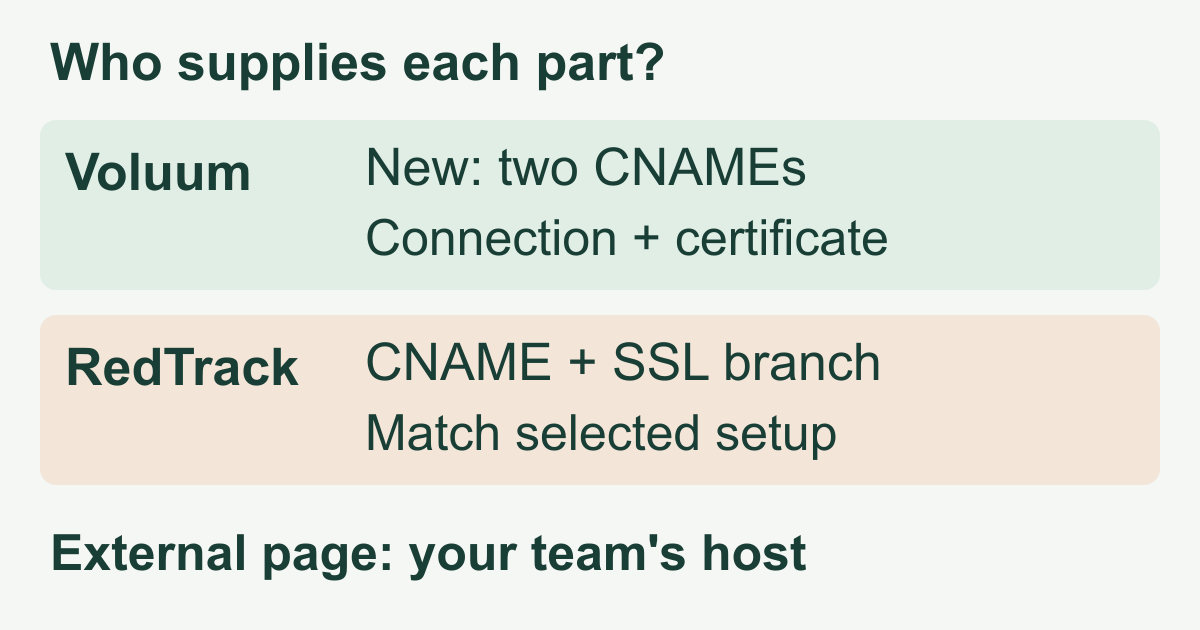
In the new setup, the buyer supplies a subdomain, saves it, and copies the two generated record names and corresponding values. The DNS owner creates both CNAME records exactly as supplied. A remembered target from another account is not the replacement for those generated values.
Voluum exposes separate domain and certificate statuses. Connected describes the domain connection; Issued describes the certificate. Pending, failed or expired certificate states are reasons to resolve the setup before using that address for tracking. Seeing one healthy status does not replace checking the other and opening the actual campaign link.
The guide also explains that adding a custom domain is followed by selecting it in the relevant campaign settings. Check the copied campaign and click URLs after the change. Do not assume that configuring one hostname rewrites links already published inside an externally hosted page.
RedTrack: distinguish the DNS step from the SSL path
RedTrack's custom-domain guide starts with a domain the buyer owns. Its registrar examples create a CNAME for a subdomain pointing to the account's RedTrack dedicated domain. The buyer then adds the hostname under Tools → Domains. Keep the required DNS record while the tracking hostname is in use.
The same guide documents a Free SSL toggle for paid clients. However, the Cloudflare-specific instructions contain a distinct Full (strict) path using a Cloudflare origin certificate and key in RedTrack; that path explicitly says not to enable Free SSL. These are configuration branches, not a checklist of switches to enable together. Confirm the chosen path with the responsible administrator and current account instructions. This comparison does not prescribe a site-wide TLS change.
RedTrack's optional Root domain URL is the destination for someone entering the tracking domain directly. It is not a place to upload the course page, and testing that bare hostname is not the same as testing the campaign URL. The buyer still checks the actual ad link and the introduction page's onward link.
Keep the page host separate from the tracking host
Voluum's lander guide requires the page to be externally hosted and explains the click URL needed to continue to the offer. RedTrack's editable-lander guide likewise describes a supplied page whose code is adjusted for the chosen setup. The team supplies that page in our scenario; the tracker configures its relationship to the journey.
| Check | Voluum | RedTrack |
|---|---|---|
| DNS | Account workflow; new setup: two CNAMEs | CNAME to dedicated domain; add hostname |
| HTTPS | Connection and certificate status; test URL | Chosen SSL path; test URL |
| Page host | Team's external host | Team's editable external page |
| Signup proof | Verify reported completion | Verify reported completion |
The practical troubleshooting split is useful in either product. A certificate error at the tracking address points to its connection setup. A broken form on the introduction page points to that page's implementation. A completed signup missing from reports requires checking the event connection and click identity, not immediately changing DNS. A missing report is unavailable evidence, not a measured zero.
Verify one campaign before changing the next
Use an authorized test campaign with the same page, offer and outcome definition before and after the address change:
- Record which tracking hostname, page URL and destination the campaign currently uses. Keep the prior working route available during verification.
- Have the DNS owner check the exact records returned by the selected account workflow. Resolve connection and certificate errors before sending traffic to the replacement address.
- Open the real campaign URL on a phone. Verify the intended introduction page loads without a certificate warning. Test its actual onward button, not just the tracking domain's root.
- Complete an authorized test signup and verify the destination's report under the intended campaign. Compare the event definition and identity with the prior setup; a page load is not a completed registration.
- Verify every published place that uses the old link before retiring it. Change the next campaign only after the first complete journey is understood.
For example, suppose a hypothetical diagnostic ledger records 20 page visits, 18 onward clicks and two reported signups under a consistent test setup. Those stages answer different questions. If signups disappear after the address change while the destination confirms they occurred, first inspect the reporting path. If the page itself fails to load, solve that failure before interpreting conversion rates. These invented counts illustrate a diagnosis; they are not a performance benchmark or evidence that one tracker converts better.
Choose around the work your team will own
Both products offer a custom tracking address, so support for that feature alone does not settle the choice. Trial Voluum's actual account-specific domain workflow and status checks, or RedTrack's DNS/domain form and applicable SSL branch. Judge which process your DNS administrator, page team and buyer can maintain and verify. Neither a custom name nor a valid certificate guarantees ad approval, more accurate attribution or higher returns.
If the missing piece is instead a hosted PWA campaign page—a web experience that can be added to a phone's home screen—MeetROAS campaign pages address that separate page-building task. That does not replace this DNS and end-to-end verification work. For the broader tracker-led comparison, read MeetROAS and Voluum.
Sources
- Voluum: Adding a Custom Domain — Checked: 2026-11-14
- Voluum: Custom domain, new setup — Checked: 2026-11-14
- RedTrack: Custom tracking domain — Checked: 2026-11-14
- RedTrack: Cloudflare custom-domain setup — Checked: 2026-11-14
- Voluum: Add a Lander Element — Checked: 2026-11-14
- RedTrack: Adding Landing page — Checked: 2026-11-14
- MeetROAS: Campaign pages — Checked: 2026-11-14