UTM parameters label where a visit came from
UTM parameters are campaign labels added to a destination URL so an analytics system can recognize the source, medium and campaign associated with traffic. They answer questions such as “Was this course visit from our newsletter or a partner's article?” They do not identify a unique person or prove that a later purchase was caused by that link.
Imagine a media buyer launches one introductory course through two external placements. Both links reach the same course page. Without consistent labels, the buyer may struggle to compare those placements; inconsistent spellings can also split one source into several report rows. Start with a naming plan, rather than adding different words whenever someone needs a link.
Source, medium and campaign answer different questions
Use three fields together as a practical starting point. Google's URL-builder guidance explains these labels and recommends including source, medium and campaign when tagging links.
| Field | Question | Fictional course example |
|---|---|---|
utm_source | Which sender or source? | newsletter or course_partner |
utm_medium | Through which marketing method? | email or referral |
utm_campaign | Which coordinated promotion? | intro_course_202610 for both placements |
utm_content | Which creative or link variation? | header_cta or review_link |
utm_term | Which manually supplied paid keyword? | An agreed keyword label, where applicable |
The first three establish the basic naming structure. Add other relevant fields when your reporting or integration needs them; this is not an exhaustive list of GA4 parameters. utm_term is not automatic proof of the person's actual search query. A manual label records what you supplied.
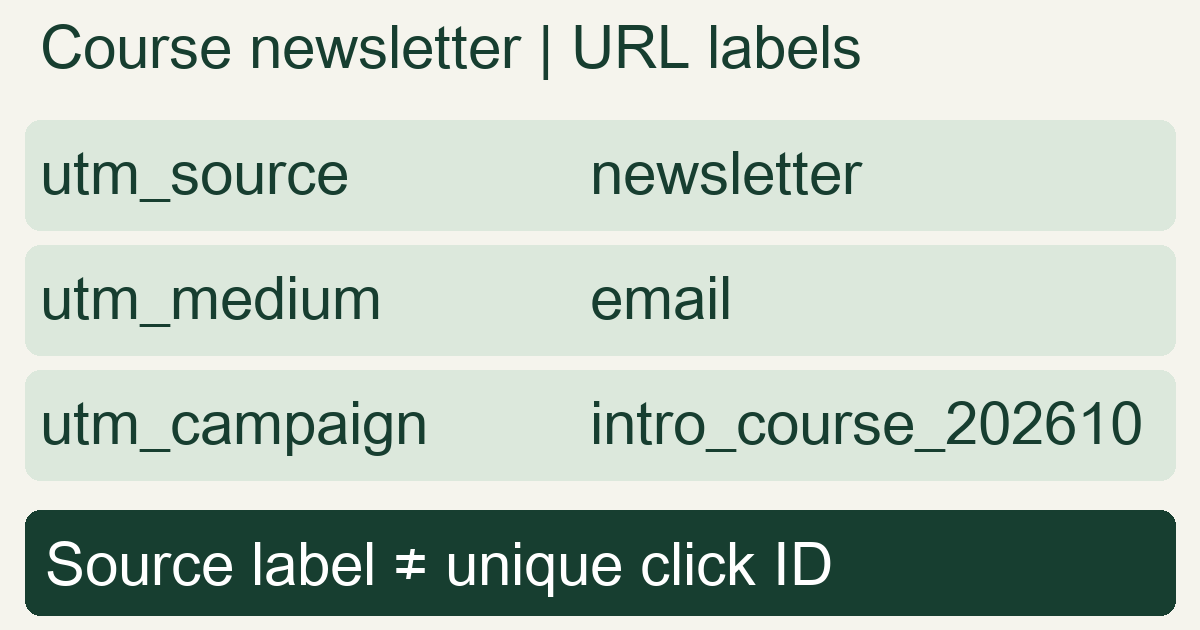
In this hypothetical example, the newsletter uses source newsletter, medium email, and campaign intro_course_202610. A partner's external article uses course_partner, referral, and the same campaign. The common campaign groups the launch; the different source and medium distinguish placements. These names are a team convention, not a requirement to copy these exact strings.
Build the external link and test its real destination
Here is a fictional newsletter URL using a reserved example domain, not a live course or customer campaign:
https://example.com/course?utm_source=newsletter&utm_medium=email&utm_campaign=intro_course_202610
The ? begins the query, = joins each field to its value, and & separates pairs. If the destination already has a query such as ?lang=en, append more pairs with &, not a second ?. Put query parameters before an anchor such as #pricing. MDN's URL anatomy distinguishes query parameters from the fragment after #.
Use a URL builder to encode values rather than pasting unescaped spaces or symbols. Then test the actual external link, including any shortener or redirect. Check that it reaches the intended page and that the expected labels are available to your analytics collection. A correctly formed URL alone does not install Analytics, establish permission to collect data, or verify that an event was recorded.
For example, if the final destination contains only utm_campaign=intro_course_202610, investigate where source and medium were dropped. Do not fill the report with a guessed sender simply because the campaign name looks familiar.
Consistent names keep one source from becoming three
Choose an allowed vocabulary for source and medium, a campaign pattern, and an owner for the shared link register. For this course, the team might adopt lowercase values and underscores: newsletter, email, intro_course_202610. The separator is your convention; consistency matters more than this particular style. Google documents that UTM values are case sensitive, so Newsletter and newsletter can be separate values.
Consider a hypothetical report for one completed seven-day UTC period, filtered to this campaign and using the same Session source/medium dimensions. Assume mutually exclusive rows, no report aggregation hiding rows, and these recorded session counts:
| Recorded source / medium | Sessions |
|---|---|
newsletter / email | 120 |
Newsletter / email | 60 |
course_partner / referral | 120 |
Under the team's agreed mapping, the first two rows describe the same intended source: 120 + 60 = 180 newsletter sessions. All three rows total 300 sessions. Consolidating labels does not create 60 additional visits or establish that the newsletter is more profitable. Sessions are not unique people, and these fictional counts do not establish a winning placement.
Correct future links and document how you group historical values during analysis. Renaming tomorrow's link does not automatically rewrite yesterday's collected values. Avoid giving the campaign a new name for every creative if you intend to evaluate one coordinated launch; use a separate variation field instead.
Read the matching report without confusing labels with attribution
Google's scope documentation separates First user acquisition from Session acquisition and event-level attribution. To examine which sources started sessions, use the corresponding Traffic acquisition dimensions. Do not compare that count directly with First user source and call a difference missing traffic. See what attribution allocates for the separate question of which interaction receives credit for an outcome.
Manual tags also coexist with platform integrations. Google's manual versus auto-tagging guidance explains that auto-tagged values can take precedence for traffic classification. If Google Ads already uses auto-tagging, retain its click identifier and verify the actual integration and dimensions. Do not assume that adding a UTM overrides every field or replaces platform linkage.
Use UTM labels on external acquisition links, rather than adding artificial campaigns to ordinary navigation inside your site. Google's collection guidance says a new campaign value encountered mid-session does not itself start a new session; it can affect event attribution without replacing that session's source. The practical problem is confusing acquisition with an on-site interaction. Measure the internal interaction as an appropriate event instead.
A short pre-launch check, and what the labels cannot do
- Agree on the names. Preserve the destination, source, medium, campaign, variation and responsible owner in one register. Reuse the same spelling across teammates.
- Test the entire route. Open the actual placement link on mobile and desktop, inspect redirects, and verify collection in the intended analytics property using its test workflow. Keep test traffic separate from performance evidence.
- Use an appropriate reporting window. Check that the labels appear in the intended scoped report after processing. Missing source data is not zero traffic; missing UTMs also do not mean every visit must be Direct, because other source information may exist.
- Keep personal data out. Do not put a recipient's email, name or phone number into these labels. They are visible URL data, not a private identifier store. Google's PII guidance specifically covers campaign parameters.
MeetROAS can connect Campaign traffic to integrated downstream outcomes, but consistent campaign names and valid click linkage solve different tasks. Its event reference requires the destination to return the actual click identifier with business events. A shared UTM name cannot replace that linkage, deliver a registration event, or prove profit. Use labels to organize comparison, then inspect actual funnel outcomes before changing spend.
For the next diagnostic step, follow a sale from its click reference to the recorded outcome. This separates a naming problem from a missing event connection.
Sources
- Google Analytics: URL builders — Checked: 2026-10-31
- Google Analytics: Scopes of traffic-source dimensions — Checked: 2026-10-31
- Google Analytics: Manual tagging and auto-tagging — Checked: 2026-10-31
- Google Analytics: Campaigns and traffic sources — Checked: 2026-10-31
- Google Analytics: Best practices to avoid sending personally identifiable information — Checked: 2026-10-31
- MDN: What is a URL? — Checked: 2026-10-31
- MeetROAS: Partner Event API reference — Checked: 2026-10-31