Two product buttons are not one rotating button
Voluum and RedTrack can both send separate buttons on one landing page to separate offers. Voluum uses its Number of CTAs setting and numbered multi-offer click URLs; RedTrack uses a Listicle landing and numbered links that must match the offer order in its campaign funnel. The buyer supplies the editable page in this scenario. Neither configuration creates the page or proves that a click became a purchase.
Imagine one media buyer promoting two courses on an existing comparison page: A is a beginner course; B is an advanced course. The team creates and hosts the page and both course destinations. A lander is the introduction or comparison page before the destination. An offer is the promoted product and its destination. A CTA, or call to action, is a visible link or button asking the visitor to continue.
The buyer's requirement is specific: “Beginner course” must open A and “Advanced course” must open B. This is a choice the visitor makes. It differs from one “Explore a course” button whose destination the tracker selects from several offers. Both approaches can be legitimate, but they answer different questions. The first compares expressed choices; the second tests destinations behind a common invitation.
Voluum: count distinct destinations, not button placements
Voluum's lander guide requires an externally hosted page and separates four cases. One offer can have one button or repeated buttons pointing to it. A single button can also rotate among offers. Multiple buttons leading to different offers use the multi-offer setup.
For our two-course page, set Number of CTAs to two, add the corresponding offers to the path containing that lander, and place the appropriate numbered multi-offer URL under each button. Voluum's click-URL guide explains that the ordinal number selects the respective offer. Use the account-generated links rather than inventing a destination from a remembered example.
A repeated “Beginner course” button at the top and bottom of the page does not create a third distinct offer. If both placements should reach A, preserve that destination mapping. The lander's CTA setting describes the required destination setup, not a count of every visually repeated button.
A practical Voluum constraint matters before saving: its guide says Number of CTAs cannot be modified after the lander is saved. Confirm the intended choices first. If the page later adds another course, plan the appropriate lander configuration change instead of silently replacing one button and assuming its old setup now describes three destinations. Check the actual account workflow before publishing.
RedTrack: match the listicle links to funnel order
RedTrack's landing-page guide calls a page listing different offers with separate buttons a listicle. Its setup requires an editable page; merely registering a page URL is not the same as adding its tracking.
For the same beginner/advanced page, choose Listicle landing, add both offers, and include the landing page and offers in the campaign funnel. Replace each button's direct offer address with its separate LP click URL. The documented pattern uses click/1, click/2 and so on on the account's tracking domain.
The guide explicitly ties the numbered URLs to offer order in the funnel and requires the number of offers to match the numbered links used. The buyer records “1 = beginner A, 2 = advanced B” and tests both. After an offer-order change, test those visible buttons again: a working URL that opens the wrong course is still a broken promise.
RedTrack also documents landing-page views and landing-page clicks in reports, with the relevant tracking setup. Its views script and no-redirect script should not be installed together. Follow the selected method; adding every available script is not a way to improve evidence. These capabilities make an editable multi-offer page a documented RedTrack use case, rather than a Voluum-only feature.
Compare the settings before comparing performance
| Check | Voluum | RedTrack |
|---|---|---|
| Page | Team hosts external page | Team supplies editable page |
| Two offers | Two CTAs; numbered links | Listicle; numbered links |
| Mapping | Number selects respective offer | Number follows funnel order |
| Before save | Confirm CTA count | Confirm offer/link count and order |
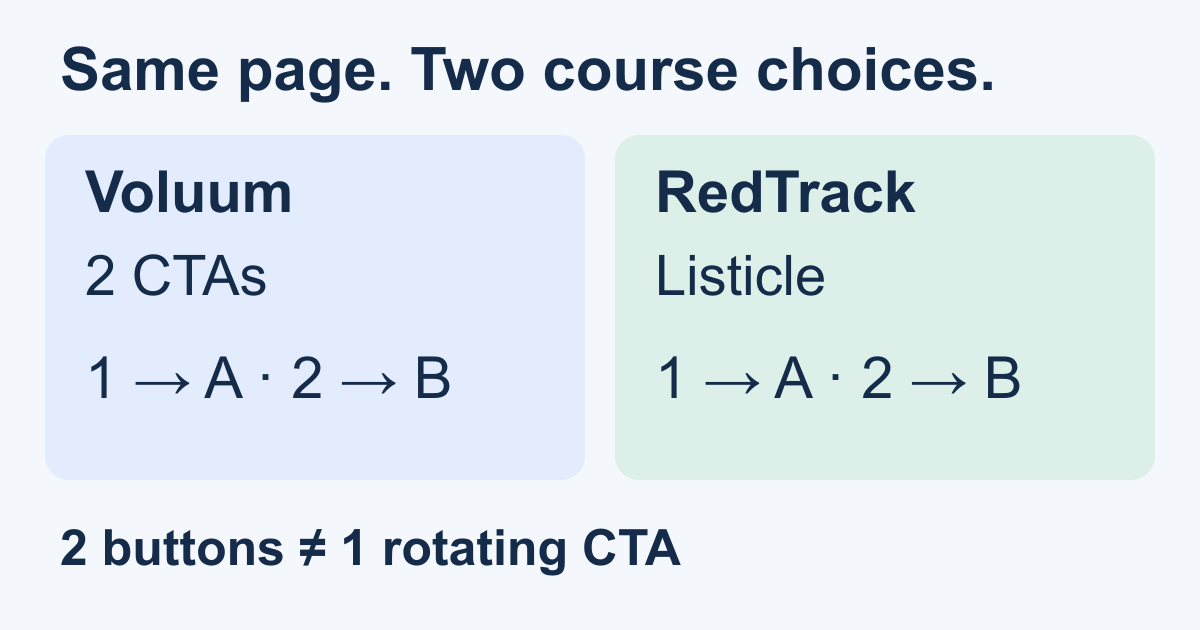
The figure shows the same intended result in both tools. The different setting names should not distract from the buyer's acceptance check: button A reaches course A; button B reaches course B. A tracking domain is another part of the journey, covered in the DNS and page-hosting comparison, not the mechanism that creates the page's choices.
What the buyer can learn and change
Both products can report onward activity and connected conversions; completed outcomes require their own setup. Voluum documents postback or pixel conversion tracking. RedTrack documents conversion integrations, postbacks and scripts. A postback is a message reporting an outcome from the destination system. Verify that each course's completed purchase is linked to the intended traffic through the correct click identity before using it to choose a winner.
Consider an illustrative test ledger, not customer results: on the same period's page traffic, A records 60 onward clicks and six reported purchases; B records 40 onward clicks and two purchases. Keep the event definitions and reporting period consistent. These are event counts, not necessarily unique people.
The buyer can investigate the advanced course's price, promise or destination experience, then test one change. Button position and visitor self-selection can affect the comparison, so the counts do not prove that A would win if every visitor were assigned to it. Missing B purchase reporting is unavailable evidence, not a measured zero.
For an installation journey, a PWA is a website that can be installed and opened like an app. A course button click is not proof of installation or first open. If the buyer instead needs a supplied, hosted PWA campaign page, MeetROAS provides that page-oriented workflow; verify the install stages and connected destination outcomes separately. This is a different page requirement from retaining this two-offer custom HTML page.
Verify the visible promise end to end
- Write down which course each button promises and who owns the page and destination.
- Configure the matching Voluum CTA or RedTrack listicle setup, then place the generated links on the editable page.
- Enter through the real campaign journey on a phone and desktop. Test every button, including repeated placements.
- Confirm the destination and the intended report entry. Complete an authorized test purchase and verify the connected outcome for each offer.
- After changing an offer, link or funnel order, repeat the destination checks before interpreting performance.
Choose a trial around the page you already control and the setup your team can maintain. Both tools can support this two-button requirement. The useful result is a verified map from visible choice to destination and reported outcome, not a claim that either setting automatically increases conversions.
These numbered buttons govern the onward step. To verify how visitors reach the lander first, use the Voluum and RedTrack direct-tracking comparison.
Sources
- Voluum: Add a Lander Element — Checked: 2026-11-15
- Voluum: Adding Click URLs to a Lander — Checked: 2026-11-15
- RedTrack: Adding Landing page — Checked: 2026-11-15
- Voluum: Track Conversions — Checked: 2026-11-15
- RedTrack: Conversion tracking: S2S, script, API — Checked: 2026-11-15
- MeetROAS: Campaign pages — Checked: 2026-11-15